Sony Studio Series Headphones
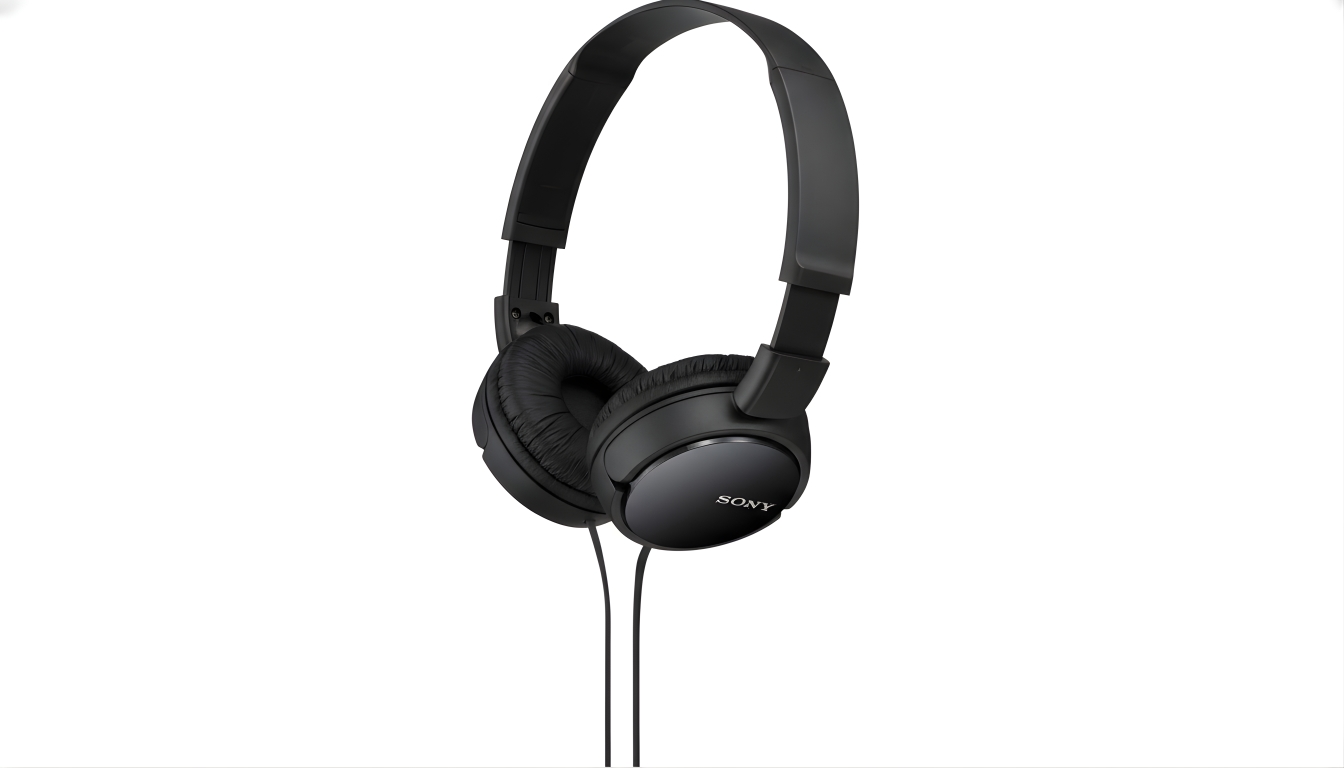
When it comes to great audio gear, I’ve always preferred accuracy over flash. Sony’s Studio Series instantly caught my attention for that very reason. These aren’t the kind of headphones that try to impress you with overpowering bass or glowing LEDs. They focus on what truly matters — honest, clean sound.
As someone who spends long hours mixing tracks, editing videos, and testing equipment, I appreciate tools that tell the truth. These do just that.
If you’re wondering why so many professionals rely on them, or if you simply want gear that combines comfort with precision, this guide is for you. I’ll walk you through what makes them special, share my real experiences, and even include a few practical tips for handling other audio devices — including Beats.
What You’ll Learn
- Why Sony’s Studio Series lineup stands out from regular headphones
- Comfort, design, and build quality insights
- How they perform across different types of music
- My recommended models for various users
- Extra tips for managing Beats (pairing, charging, connecting, and more)
- My final thoughts after long-term testing
No filler, just useful information and hands-on experience.
Why These Headphones Stand Out
Over the years, I’ve tested everything from entry-level earbuds to professional studio monitors. Few models have impressed me as quickly as Sony’s Studio line.
The first time I used the MDR-7506, I caught sounds I’d never noticed before — faint breaths between vocal takes, the texture of a snare, the tail end of reverb fading out. These headphones don’t color your music; they reveal it. That’s a big deal if you edit or mix professionally, or simply want to hear songs exactly as they were recorded.
While most mainstream headsets boost bass or treble to sound “fun,” these stay neutral. It’s refreshing, and it’s what makes them ideal for anyone who values authenticity over enhancement.
Design and Build Quality
For me, comfort ranks right up there with clarity — especially when I’m wearing them for half the day. Sony’s Studio models strike that balance beautifully.
Soft, well-padded earcups sit comfortably without squeezing too tightly. The adjustable headband distributes pressure evenly, so I can wear them through long editing sessions without discomfort.
Durability is another plus. The materials feel solid but not heavy, and the foldable structure means I can toss them in my bag without fear of damage. They’re built like professional tools — simple, efficient, and reliable.
Sound Performance: Clean and Natural
This range really shines in how it handles detail.
- Bass: Tight, not bloated. It stays where it should — supporting the music, not overpowering it.
- Midrange: Clear and true. Vocals sound lifelike and instruments feel placed exactly where they belong.
- Treble: Crisp without harshness, meaning you can listen for hours without fatigue.
I’ve tested them on every genre — from acoustic and jazz to EDM and podcasts. Each time, I noticed new layers and textures. It’s like listening to your favorite songs for the first time again, minus the gimmicks.
Wired vs. Wireless Models
Sony offers both wired and wireless options in this series, and each serves a distinct purpose.
- Wired Versions: Best for professional use. No latency, consistent signal, and ideal for studio mixing.
- Wireless Versions: More versatile for multitasking. Bluetooth stability lets me switch between laptop and phone seamlessly.
If you’ve read my guide on pairing Beats Studio Pro, you’ll know how much I value connection reliability. Thankfully, Sony’s wireless units don’t drop out or stutter — they’re as dependable as the wired ones.
Top Picks from the Studio Series
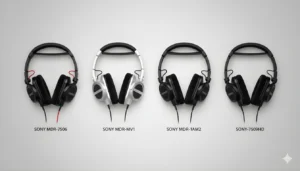
Here are the models I’ve found most impressive — whether you’re a creator, professional, or everyday listener.
1. Sony MDR-7506
A true studio staple.
- Neutral sound profile
- Lightweight and durable
- Perfect for mixing and post-production work
2. Sony MDR-MV1
Open-back design for a more natural soundstage.
- Spacious, airy audio
- Excellent comfort for long sessions
- Ideal for cinematic or live recording work
3. Sony MDR-1AM2
The most relaxed tuning of the bunch.
- Slightly warmer tone
- Premium feel and flexible design
- Great for everyday listening
4. Sony MDR-7509HD
A more advanced option with deeper detail.
- Excellent isolation
- Sturdy construction
- Reliable for engineers and serious creators
Each of these models has its strengths, and none feel like a compromise. It’s just a matter of how you plan to use them.
Everyday Use and Real-World Comfort

Even if you’re not working in a studio, these headphones are versatile enough for daily life. I’ve used them on flights, in noisy cafés, and during late-night work sessions — always comfortable, always consistent.
A few tips from experience:
- Use lossless or high-bitrate audio for the best detail.
- Pair with a decent DAC or amplifier if you’re using them for editing.
- Keep them clean and store them properly.
- Give your ears a short break during marathon sessions.
Useful Tips for Beats Users

Many readers use Beats alongside Sony, so here’s some quick guidance to keep both running smoothly:
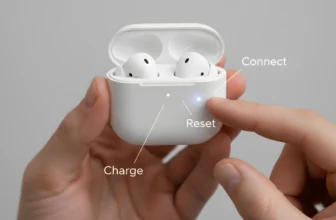
- Turning Off Beats Studio Pro: Hold the power button for two seconds until the light goes out.
- Turning On Powerbeats: Press and hold the power button until the LED activates.
- Pairing Powerbeats Wireless: Hold the button for five seconds until the light flashes, then select them in your Bluetooth menu.
- Charging Beats Studio Pro: Use a USB-C cable. A short 10-minute charge gives a few hours of use.
- Connecting Beats to a TV: If your TV supports Bluetooth, select them directly. Otherwise, use a small transmitter plugged into the TV’s audio output.
These simple steps save time and frustration when switching between devices.
Battery Life and Wireless Convenience
Wireless Sony models are reliable companions for long sessions. Most last 30–40 hours per charge, and USB-C fast charging means a short top-up can power you through the day.
Personally, I can go several days between charges without worrying — something I can’t say for every brand I’ve tested. It’s the kind of quiet reliability you appreciate after a few weeks of use.
Who Should Consider These
Here’s how I’d break it down:
- Music Producers & Sound Engineers: The neutral tuning helps make accurate adjustments.
- Podcasters & Streamers: Voices stay crisp without artificial boosts.
- Gamers: Excellent positional accuracy and comfort for long play.
- Everyday Listeners: If you value authenticity over thumping bass, these are ideal.
They’re also a great fit for anyone who needs comfort and reliability during long hours of wear.
Pros and Cons — My Honest View
Pros
- Exceptionally balanced and natural sound
- Comfortable enough for long use
- Tough, travel-friendly build
Cons
- Some models lack active noise cancellation
- Bass enthusiasts might find them too restrained
Still, those trade-offs are minor compared to the clarity and control these deliver.
Additional Features Worth Mentioning
A few thoughtful touches make these headphones even better:
- Detachable cables on some models for easy replacement
- Foldable frames for portability
- Lightweight materials that reduce fatigue
- Optional Bluetooth adapters for flexibility
These details may seem small, but together they make everyday use far smoother — especially when switching between home, work, and travel setups.
Practical Daily Advice
- Connecting Devices: Wired versions use standard jacks, while wireless ones pair instantly via Bluetooth.
- Maintenance: Wipe the earcups with a soft cloth and keep them in a case when not in use.
- Switching Modes: For critical editing, use wired. For meetings or streaming, wireless keeps things simple.
Simple habits like these keep your gear sounding fresh and lasting longer.
Comparing to Other Brands I’ve Tested
I’ve reviewed several alternatives, including Beribes headphones and various Beats models, and while each brand has its strengths, Sony’s Studio lineup remains a top performer.
(If you’d like to compare, check out my Beribes headphones review or my guide on how to pair Beats Studio Pro.
Beribes delivers solid value, but Sony’s commitment to clarity and long-term comfort still sets it apart.
Final Thoughts
After weeks of daily testing, I can confidently say Sony’s Studio Series offers one of the most consistent listening experiences I’ve ever had. The focus on precision, comfort, and reliability makes these a go-to for anyone who takes their sound seriously.
They’re not flashy, but that’s exactly the point. They do their job quietly, consistently, and beautifully. Whether you’re mixing tracks, editing content, gaming, or just enjoying a playlist, they perform without distraction.
If you want headphones that simply sound right — without exaggerated effects — this series deserves a spot in your setup. And if you switch between multiple devices, the Beats tips above will make your workflow even smoother.
Sometimes the simplest approach — getting honest sound from quality gear — is the best one.